Learn to read Chinese from videos you already like
Pick an English video you know well, and Create In Chinese gives it back with Simplified Chinese subtitles and the English line underneath. Read the Chinese, check the English, repeat.
Because you already understand the audio, every Chinese line has instant context. It is reading practice built on content you chose, not a textbook dialogue.
Free preview · No credit card · 7-day money-back guarantee
Want setup guides or posting advice first? Browse the guides.
Why people use it
Chinese and English line up sentence by sentence, timed to the speech.
The editor lists every line pair, so you can study the transcript away from the video.
Works with your own recordings and any English video you have the right to use.
One connected project
Your own bilingual reading material
A subtitled video and a line-by-line list of English and Chinese pairs.
Watch
Chinese over English on screen
Pause on any line and compare the two languages.
Study
Line pairs in the editor
Scroll the whole video as English and Chinese sentence pairs.
Adjust
Edit lines as you learn
Rewrite a line in your own words to test yourself.
Real output
What one English video turns into
Screenshots from co-founder Preston Chin’s own video, processed in Create In Chinese.
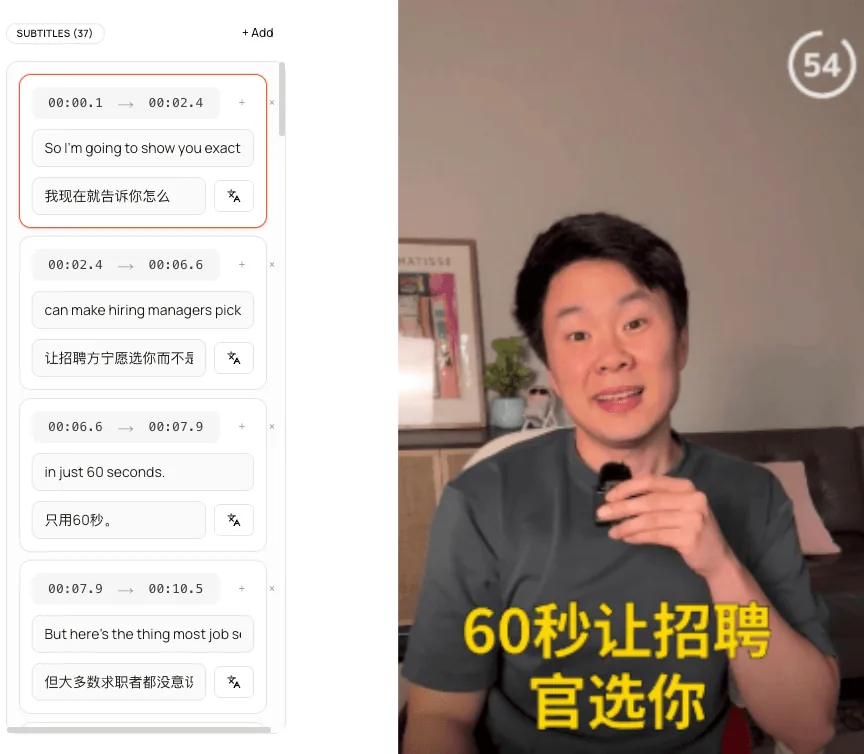
Subtitles
Every English line with its Chinese translation, timed to the speech and editable.
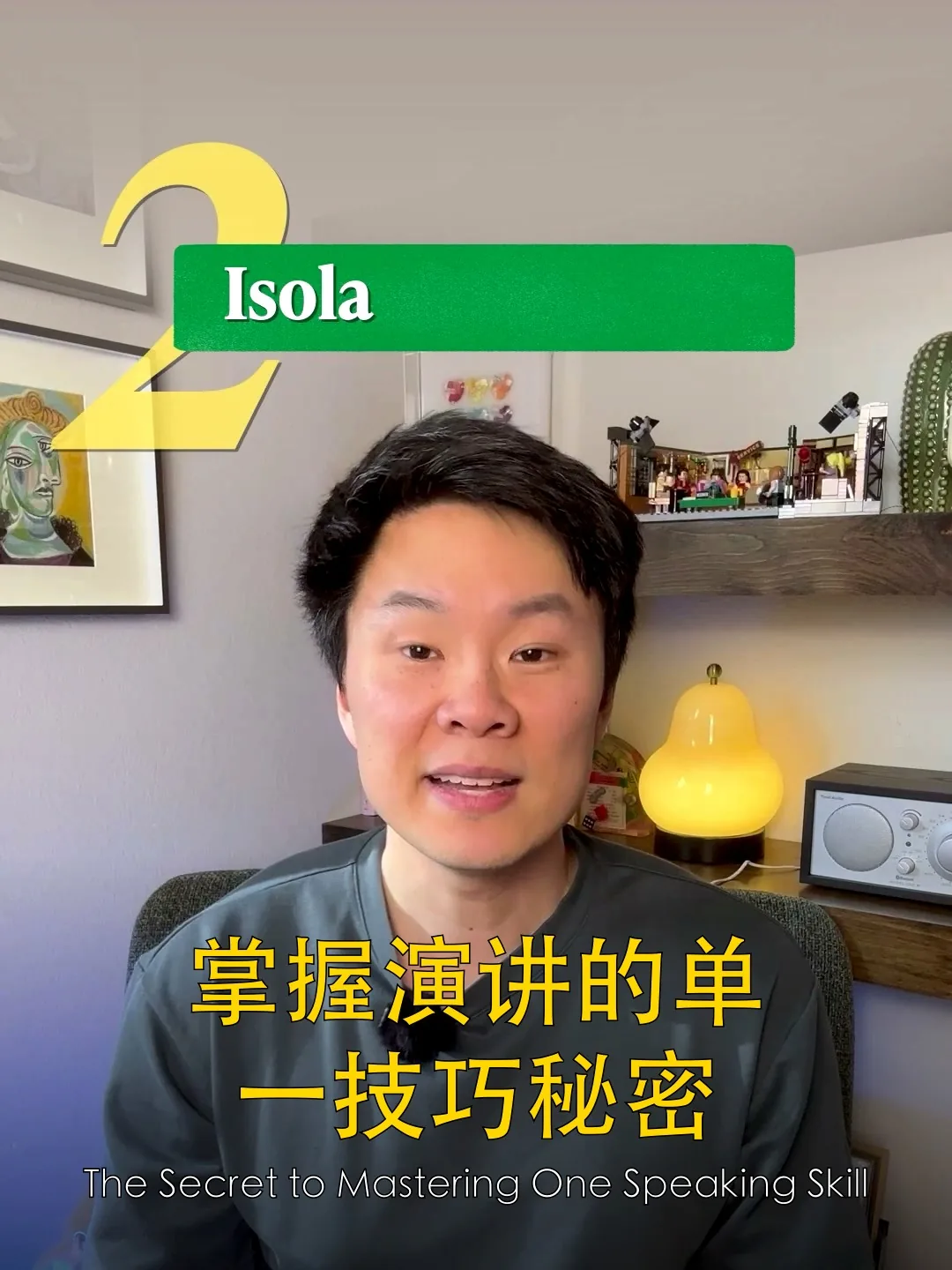
Cover
A 3:4 Chinese cover built from a frame of the video.
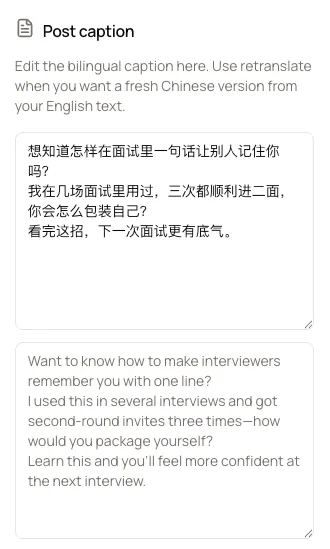
Caption
A Chinese post caption with the English version underneath.
At a glance
The short version
- Script
- Simplified Chinese characters (简体中文).
- Pinyin
- Not included today.
- Translation
- AI translation, checked automatically, editable by you.
- Audio
- Stays in English.
Workflow
How learners use it
A simple loop that turns familiar videos into reading practice.
Step 1
Choose an English video you know
Familiar content makes the Chinese easier to decode.
Step 2
Generate bilingual subtitles
Simplified Chinese plus the original English, in about 3 to 5 minutes.
Step 3
Read, pause, compare
Read the Chinese first, then check the English line when you need it.
Best fit
Good for
Learners who can follow English and want more Chinese reading practice.
Intermediate learners building reading speed with real sentences.
Heritage speakers who understand Chinese but want to read it.
Families making bilingual versions of videos for children.
What Create In Chinese is not
It is not a video editor or a dubbing tool. It is strongest when the English video is finished and you need a Chinese version quickly.
Related pages
Keep exploring the workflow
FAQ
Common questions
Is this a Chinese course?
No. It is a tool that makes bilingual subtitled versions of English videos. Many learners use it alongside a course for extra reading practice.
Does it show pinyin?
Not today. Subtitles show Simplified Chinese characters with the English line beneath.
Can I trust the translations for studying?
Translations are AI-generated and automatically checked for untranslated or garbled lines, but they are natural translations rather than word-for-word glosses. Treat them like a good bilingual subtitle track, not a dictionary.
Traditional or Simplified?
Simplified Chinese (简体中文), the written standard for Mandarin in mainland China. The video keeps its original English audio; nothing is dubbed. Traditional Chinese and pinyin are not offered today.
What does it cost?
One video is free to watch and edit in the app. Pro is $9/month or $90/year for 30 videos a month and downloads.