Bilingual subtitles for teaching English to Chinese speakers
Show students real English videos with the English line on screen and the Chinese meaning right above it. Create In Chinese makes the bilingual version for you in a few minutes.
Students hear natural English, read along in English, and check the Chinese when they get lost. Words you are teaching stay in English inside the Chinese line, so the lesson isn't translated away.
Free preview · No credit card · 7-day money-back guarantee
Want setup guides or posting advice first? Browse the guides.
Why people use it
Both languages on screen: Chinese line above, English line below, timed to the speech.
Quoted examples and vocabulary being taught are kept in English instead of being translated.
Edit any line before class to match the way you explain it.
One connected project
A classroom-ready bilingual video
One upload gives you a video you can play from any computer or share with students.
Read along
English subtitles students can follow
The English line matches the audio, so students practise listening and reading together.
Check meaning
Chinese above each line
Simplified Chinese helps weaker students keep up without pausing the class.
Keep the lesson
Taught words stay English
When the speaker explains a word or phrase, that example stays in English in the Chinese line.
Real output
What one English video turns into
Screenshots from co-founder Preston Chin’s own video, processed in Create In Chinese.
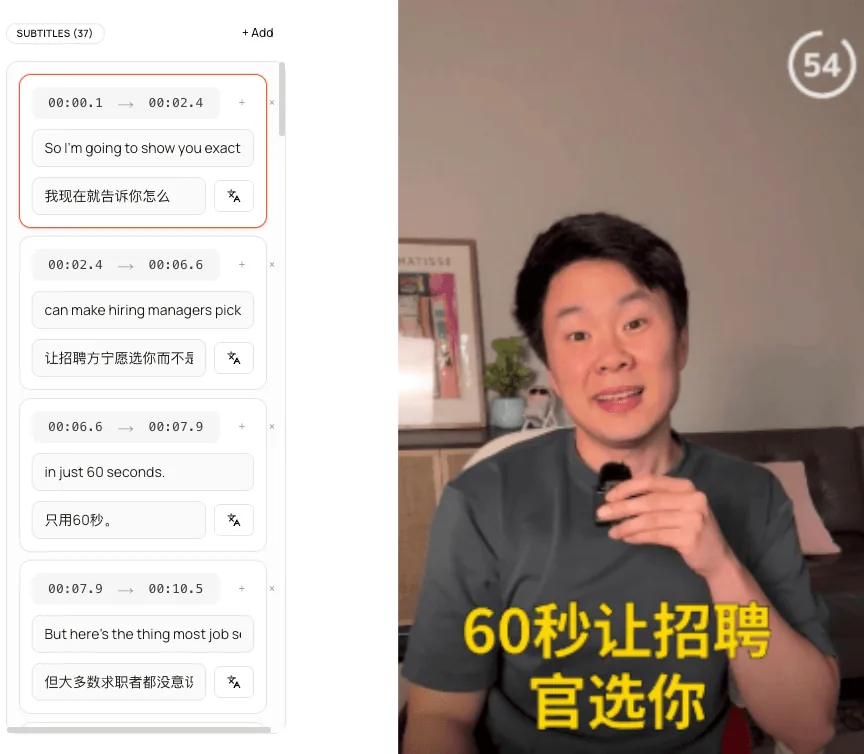
Subtitles
Every English line with its Chinese translation, timed to the speech and editable.
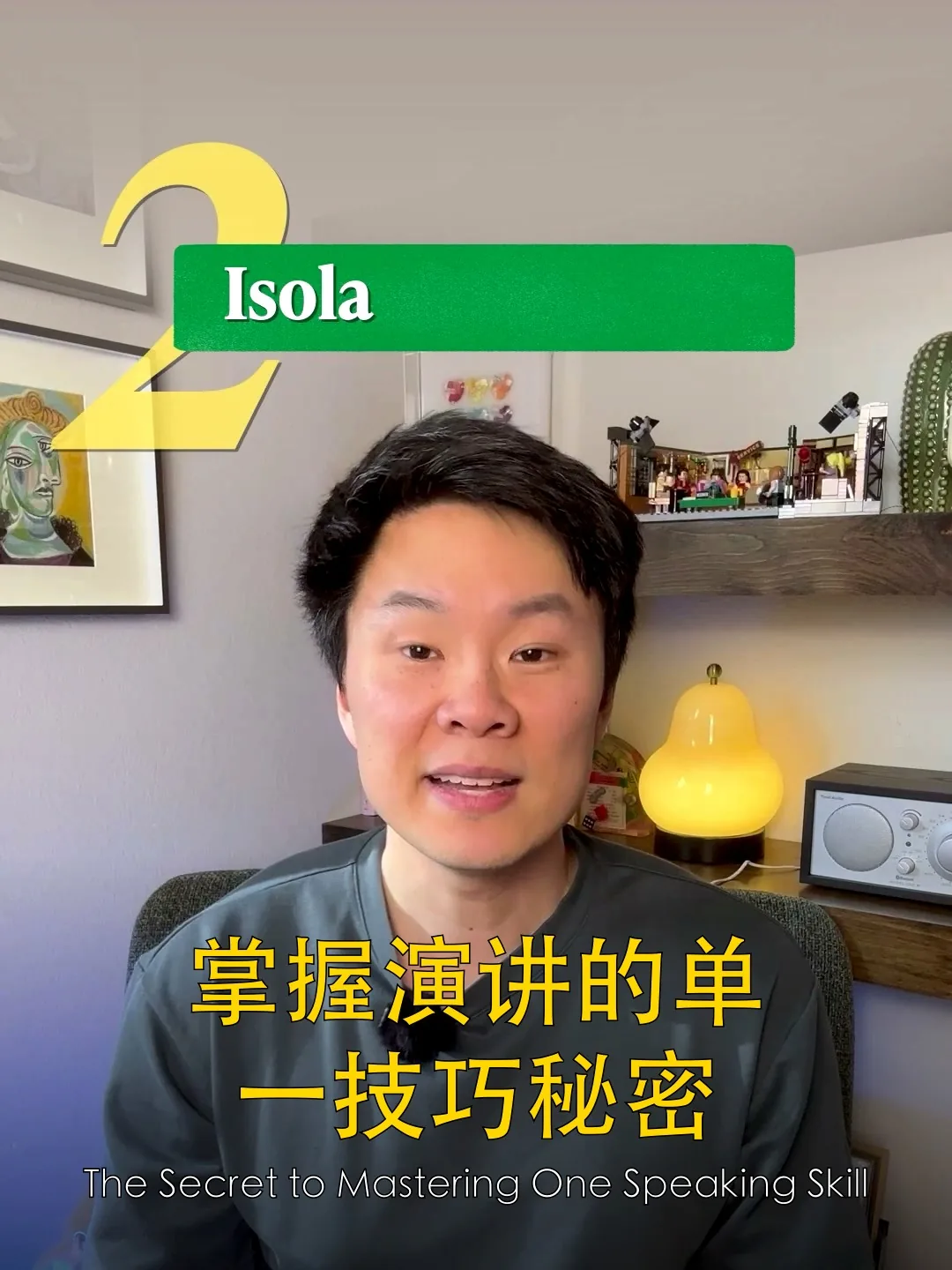
Cover
A 3:4 Chinese cover built from a frame of the video.
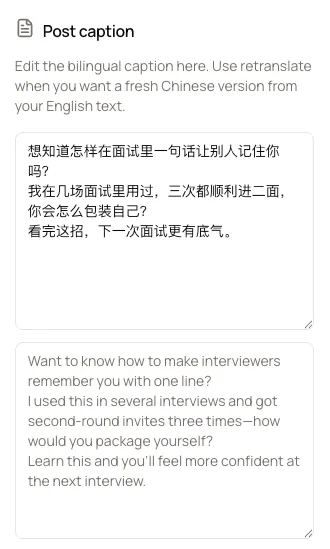
Caption
A Chinese post caption with the English version underneath.
At a glance
The short version
- On screen
- Chinese line above, English line below, burned in.
- Taught words
- Kept in English inside the Chinese line.
- Chinese
- Simplified Chinese (简体中文). No pinyin.
- Prep time
- About 3 to 5 minutes per video.
Workflow
Prepare a lesson video
Most videos are ready before the coffee is.
Step 1
Upload an English video
Your own recording or a video you have permission to use in class. MP4, MOV, WebM, or M4V.
Step 2
Check the bilingual lines
Each English line and its Chinese line sit side by side. Adjust wording to fit your lesson.
Step 3
Play it in class or share it
Export the video with both subtitle lines burned in.
Best fit
Useful for
Teachers who use authentic English video with Chinese-speaking learners.
English teachers in China and Chinese-speaking regions using real-world video in class.
Tutors and online teachers preparing listening material.
Teachers recording their own English explanations for students to review at home.
What Create In Chinese is not
It is not a video editor or a dubbing tool. It is strongest when the English video is finished and you need a Chinese version quickly.
Related pages
Keep exploring the workflow
FAQ
Common questions
Can students see both English and Chinese?
Yes. The exported video shows the Chinese line with the English line beneath it for every subtitle.
Will the vocabulary I'm teaching be translated away?
No. When the speaker quotes or teaches an English word or phrase, that example stays in English inside the Chinese line.
Can I use any video from the internet?
Use videos you made or have permission to use. Create In Chinese works from a file you upload; it does not download links.
Does it add pinyin?
No. Subtitles are Simplified Chinese characters with the English line. Pinyin is not available today.
我不太会用电脑,能用吗?
可以。上传英文视频,几分钟后就能得到中英双语字幕的视频;每一行都可以修改。
How much does it cost?
Try one video free in the app. Pro is $9/month (or $90/year) for 30 videos a month and every download.