The video edit is done. Now you need Chinese subtitles, a cover image that does not look like an afterthought, and a bilingual caption that fits the post you are actually about to publish on RedNote.
Most creators solve that with a manual chain: transcript in one tool, subtitle cleanup in another, cover text in Canva or Figma, caption drafting in a doc, then final exports somewhere else. It works, but it also creates a surprising amount of packaging drag around videos that are otherwise ready to ship.
The manual stack usually breaks at the handoffs
Manual localization is rarely blocked by one impossible step. The pain shows up in the transitions. The subtitle version you edit stops matching the cover headline. The caption doc drifts from the chosen title. The final export sits in a different place than the assets you still need to revise.
None of those problems are dramatic on their own. Together they turn a fast repurposing task into a scattered checklist.
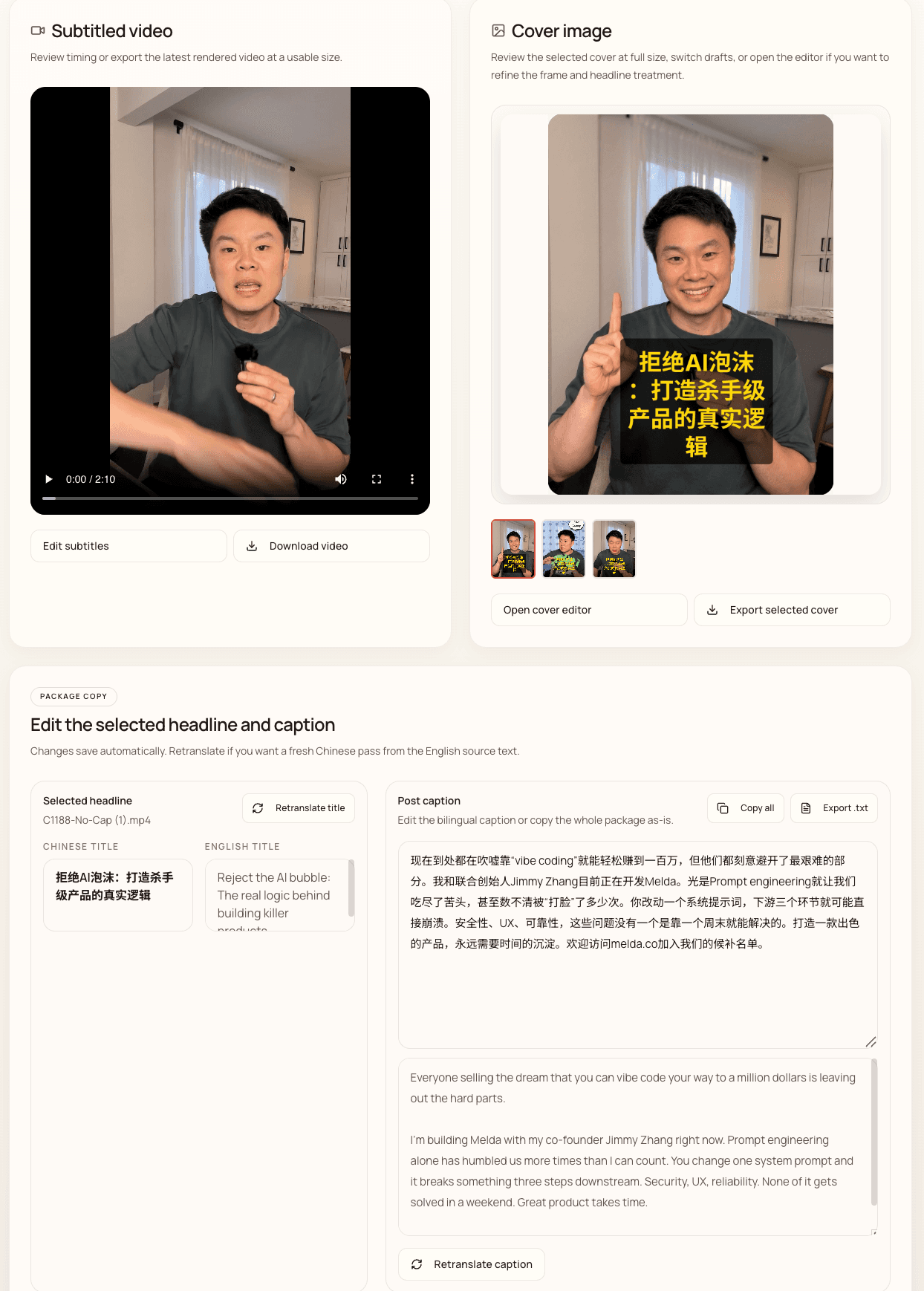
Where Create In Chinese is actually different
Create In Chinese is not trying to replace Premiere, CapCut, or your main timeline editor. It starts after that step. The finished English video already exists. The remaining job is packaging it for Chinese-speaking audiences.
- Chinese subtitles stay attached to the project and remain editable before export.
- Cover text and bilingual caption copy sit in the same review flow.
- The output is organized around one post package instead of scattered files.
When the manual route is still reasonable
If you only localize content occasionally, already trust your current tools, and do not mind the coordination overhead, manual can be perfectly acceptable. The manual route wins when flexibility matters more than speed or consistency.
When a connected workflow starts to matter
The value shows up when you are repurposing content repeatedly: each week, across several platforms, with several videos, or with someone else on the team needing to pick up the work later.
In that case, the real comparison is not feature versus feature. It is whether your workflow keeps the packaging layer coherent enough that publishing still feels lightweight after the third or fourth video.
A better rule of thumb
Keep your main video editor for the creative work. Use a dedicated packaging workflow for the localization handoff that comes after the edit is final. That is the slice Create In Chinese is built to compress.
Common questions
When does a manual workflow still make sense?
If you only localize a video occasionally and already trust your subtitle, design, and caption tools, manual can be fine. The pain grows when the packaging workflow needs to repeat every week.
What does Create In Chinese replace?
It does not replace your upstream video editor. It replaces the fragmented subtitle, cover, and caption handoff that usually happens after the edit is already complete.